


- Joined
- Jun 21, 2003
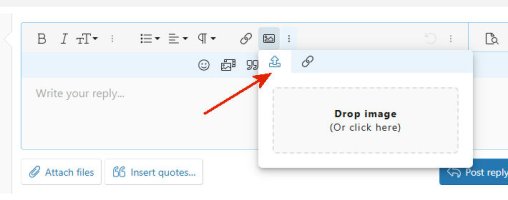
1. Click on "Insert Media" icon and find the image on your hard drive. OR....
2. If you don't have the image, click the second "Link" tab and insert the URL to that actual image.
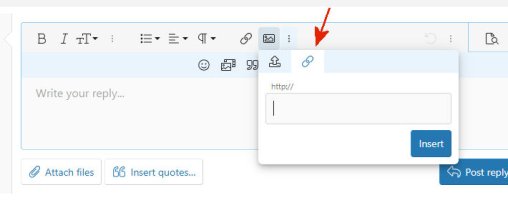
2. If you don't have the image, click the second "Link" tab and insert the URL to that actual image.
Last edited:


